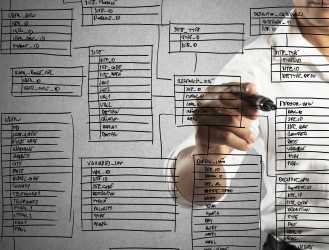
Java developers can quickly implement image classification or object detection using pre-trained machine learning models.

Interest in machine learning has grown steadily over recent years. Specifically, enterprises now use machine learning for image recognition in a wide variety of use cases. There are applications in the automotive industry, healthcare, security, retail, automated product tracking in warehouses, farming and agriculture, food recognition and even real-time translation by pointing your phone’s camera. Thanks to machine learning and visual recognition, machines can detect cancer and COVID-19 in MRIs and CT scans.
Today, many of these solutions are primarily developed in Python using open source and proprietary ML toolkits, each with their own APIs. Despite Java’s popularity in enterprises, there aren’t any standards to develop machine learning applications in Java. JSR-381 was developed to address this gap by offering Java application developers a set of standard, flexible and Java-friendly APIs for Visual Recognition (VisRec) applications such as image classification and object detection. JSR-381 has several implementations that rely on machine learning platforms such as TensorFlow, MXNet and DeepNetts. One of these implementations is based on Deep Java Library (DJL), an open source librarydeveloped by Amazon to build machine learning in Java. DJL offers hooks to popular machine learning frameworks such as TensorFlow, MXNet, and PyTorch by bundling requisite image processing routines, making it a flexible and simple choice for JSR-381 users.
In this article, we demonstrate how Java developers can use the JSR-381 VisRec API to implement image classification or object detection with DJL’s pre-trained models in less than 10 lines of code. We also demonstrate how users can use pre-trained machine learning models in less than 10 minutes with two examples. Let’s get started!
Recognizing handwritten digits using a pre-trained model
A useful application and ‘hello world’ example of visual recognition is recognizing handwritten digits. Recognizing handwritten digits is seemingly easy for a human. Thanks to the processing capability and cooperation of the visual and pattern matching subsystems in our brains, we can usually correctly discern the correct digit from a sloppily handwritten document. However this seemingly straightforward task is incredibly complex for a machine due to many possible variations. This is a good use case for machine learning, specifically visual recognition. The JSR 381 repo has a great example that uses the JSR-381 VisRec API to correctly recognize handwritten digits. This example compares handwritten digits, against the MNIST handwritten digit dataset, a publicly available database of over 60K images. Predicting what an image represents is called image classification. Our example looks at a new image and attempts to determine the probabilities of what specific digit it is.
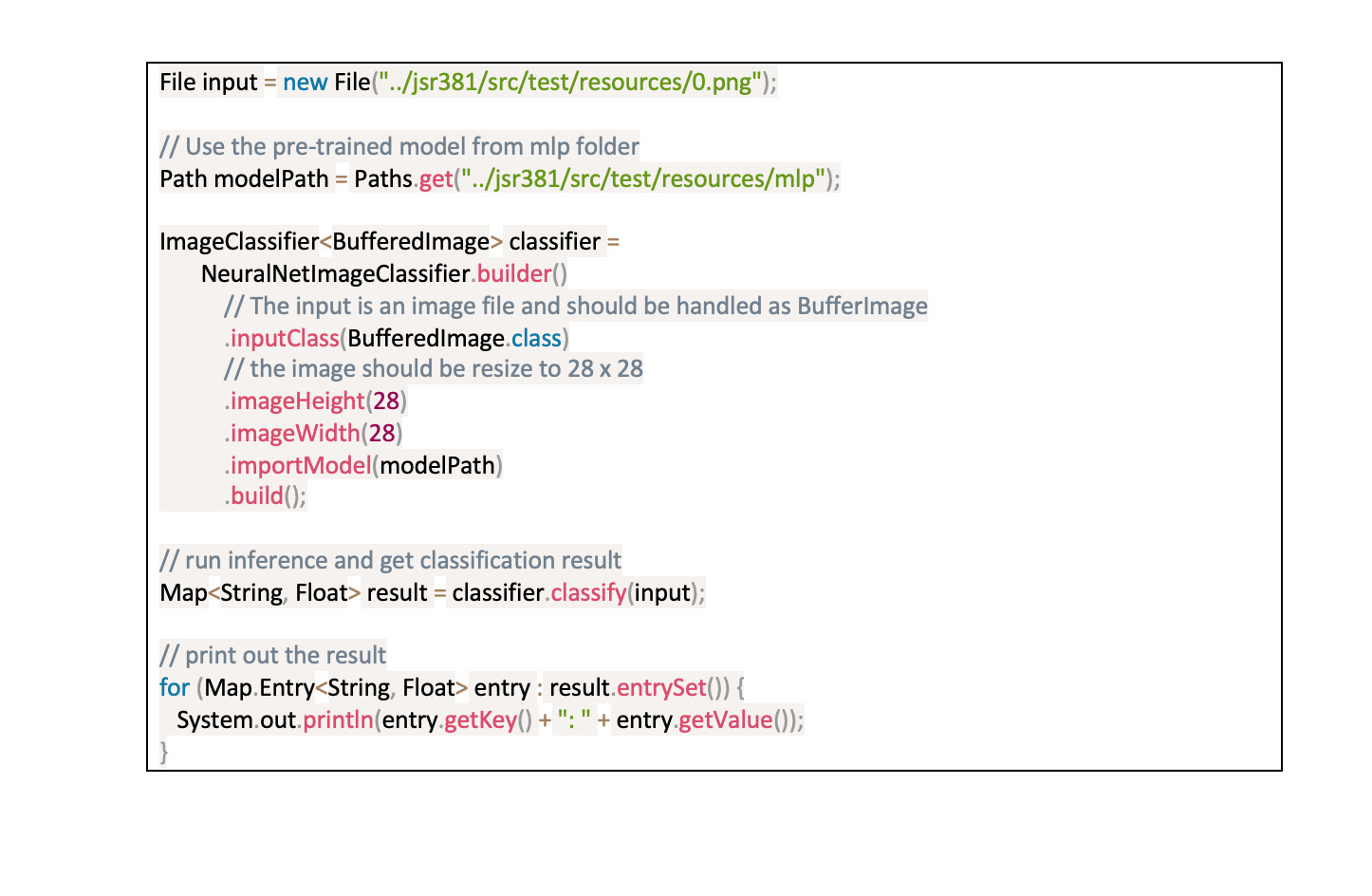
For this task, the VisRec API provides an ImageClassifier interface which can be specialized for specific Java classes for input images using generic parameters. It also provides a classify() method which performs image classification and returns a Map of class probabilities for all possible image classes. By convention in the VisRec API, each model provides a static builder() method that returns a corresponding builder object, and allows the developer to configure all relevant settings, e.g. imageHeight, imageWidth.
To define an image classifier for our handwritten digit example, you configure the input handling using inputClass(BufferedImage.class). With that you specify the class which is used to represent the image. You use imageHeight(28) and imageWidth(28) to resize the input image into a 28×28 shape, since that was the original size that was used for training the model.
Once you build the classifier object, feed the input image to the classifier to recognize the image.
 AWS
AWSRunning this code yields the following output.
 AWS
AWSThe model identifies five possible options for the digit embedded in the image with the associated probabilities for each option. The classifier correctly predicts that the underlying digit is 0 with an overwhelming probability of 99.98%
One obvious generalization of this case is the question of what to do when you need to detect different objects in the same image?
Recognizing objects using a pre-trained Single Shot Detector (SSD) model
Single Shot Detector (SSD) is a mechanism that detects objects in images using a single deep neural network. In this example, you recognize objects in an image using a pre-trained SSD model. Object detection is a more challenging visual recognition task. In addition to classifying objects in images, object detection also identifies the location of objects in an image. It can also draw a bounding box around each object of interest along with a class (text) label.
The SSD mechanism is a recent development in machine learning that detects objects surprisingly quickly, while also maintaining accuracy compared to more computationally intensive models. You can learn more about the SSD model through the Understanding SSD MultiBox — Real-Time Object Detection In Deep Learning blog post and this exercise in the Dive into Deep Learning book.
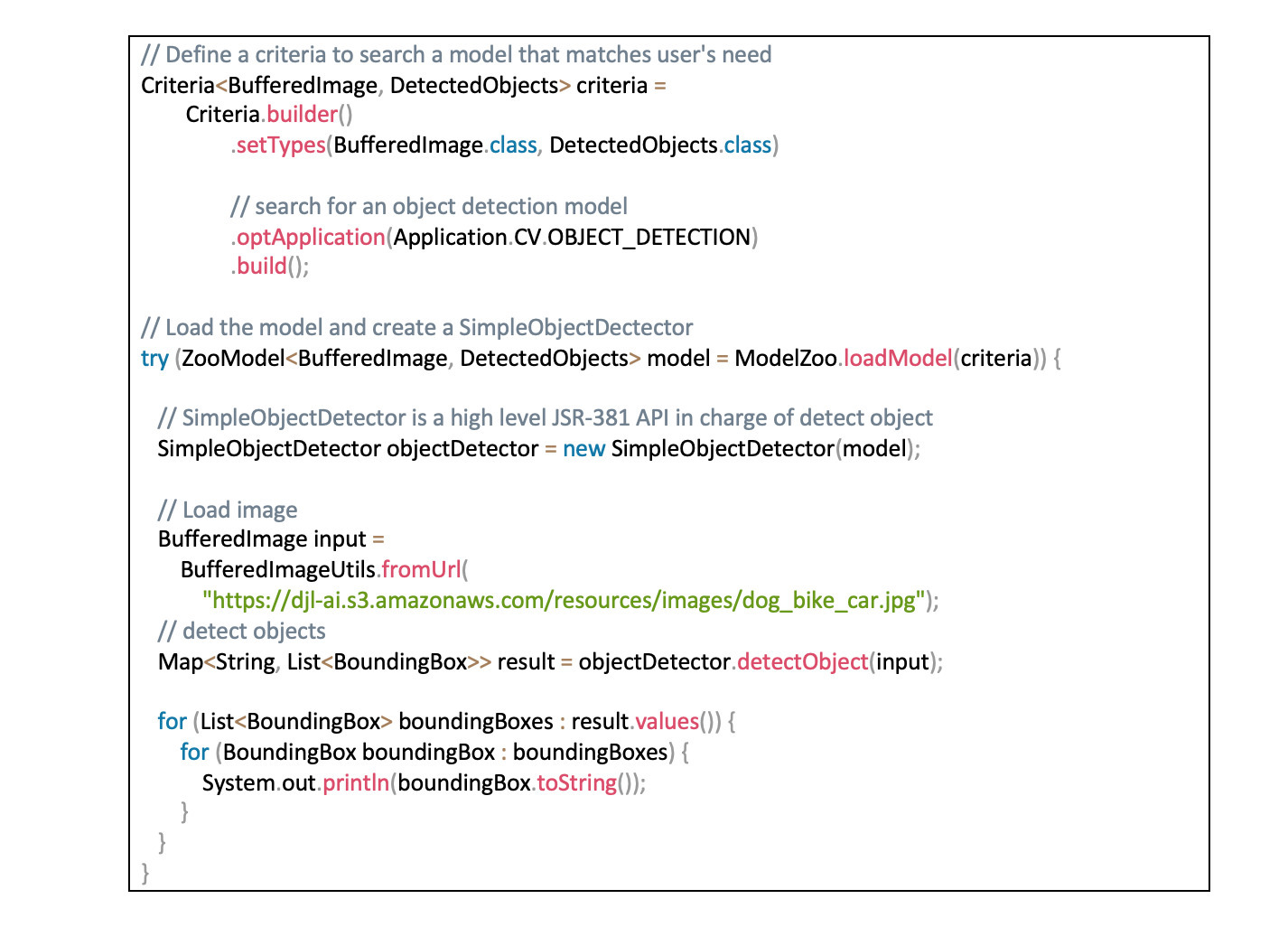
With DJL’s implementation of JSR-381, users have access to a pre-trained implementation of the SSD model that’s ready for immediate use. DJL uses ModelZoo to simplify deploying models. In the following code block, you load a pre-trained model with the ModelZoo.loadModel(), instantiate an Object detector class and apply this model on a sample image.
 AWS
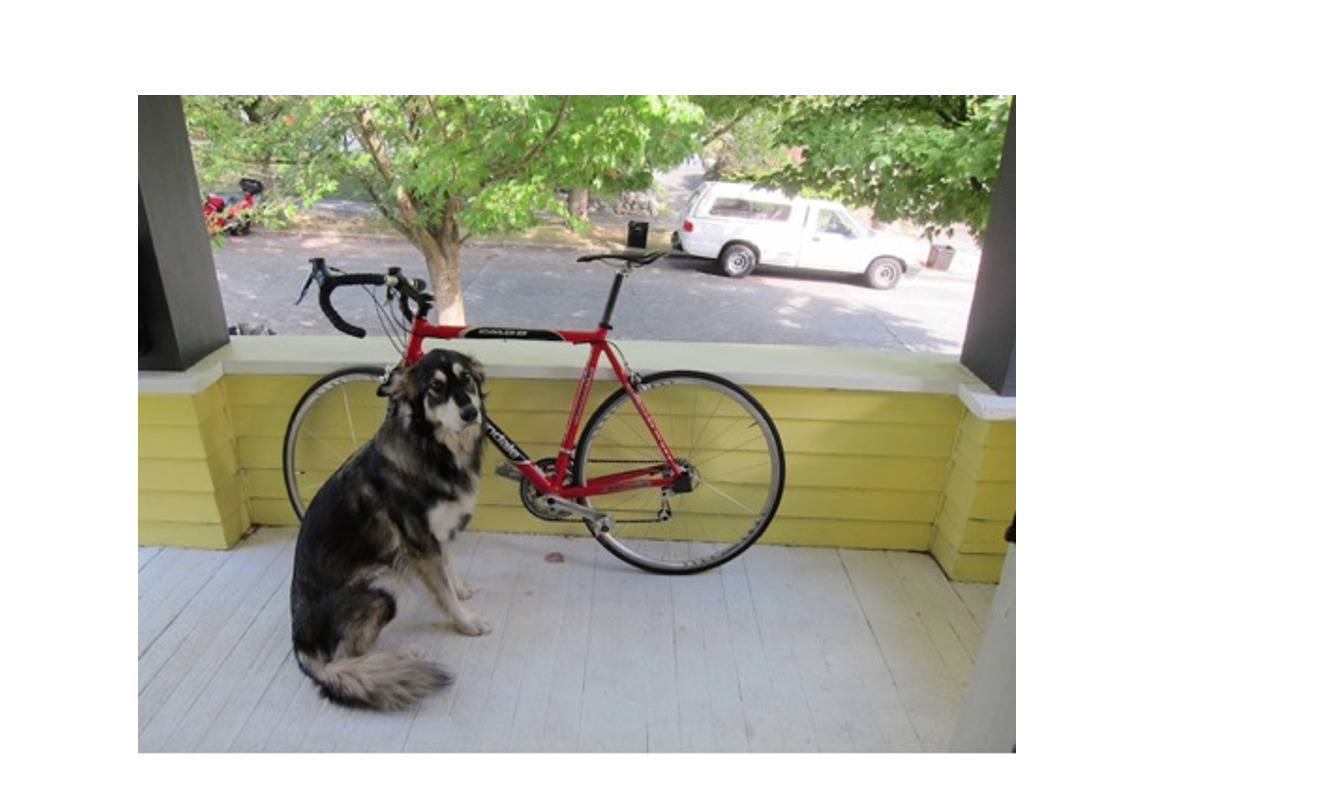
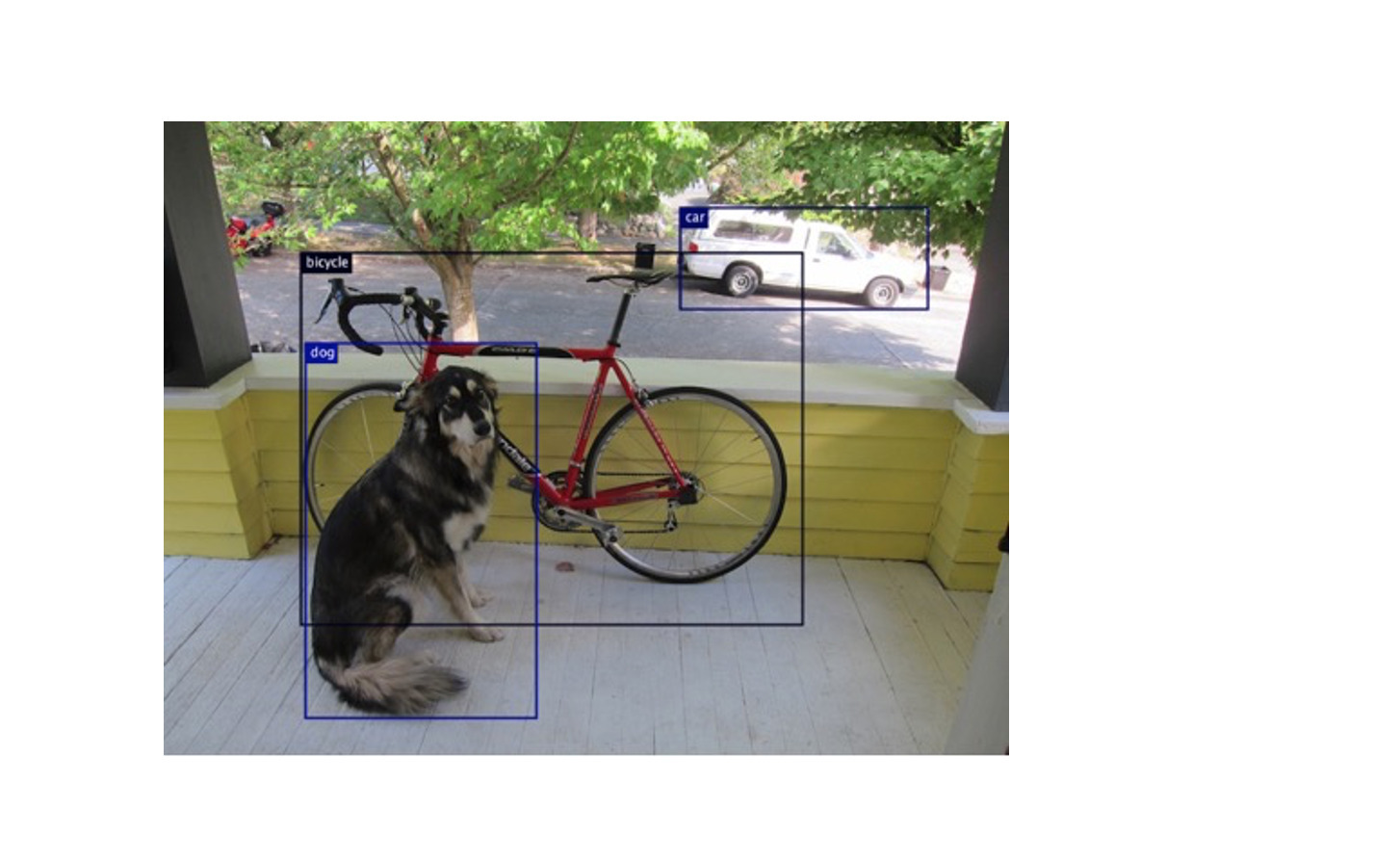
AWSHere is a new image that we can use.
 AWS
AWSRunning our code on this image yields the following result:
 AWS
AWSIf you want to add bounding boxes around each detected object onto the image, you can with only a few additional lines of code. For more information, see the complete GitHub example.The model classifies the three objects of interest (bicycle, car and dog), draws a bounding box around each, and provides a confidence level reflected by the probabilities.
 AWS
AWSWhat’s next?
In this post, we just scratched the surface of what you can do with the DJL implementation of the JSR-381 API. You can explore and implement many more models with the repository of pre-trained models in ModelZoo, or bring in your own model.
We also invite you to check out DJL, an open source library built by Java developers at Amazon for the Java community. We’ve attempted to simplify developing and deploying machine learning in Java. Please join us in our mission.
There are many use cases for DJL, you can develop a Question Answering application for customer service, implement pose estimation on your yoga poses or train your own model to detect intruders in your backyard. Our Spring Boot starter kit also makes it straightforward to integrate ML with your Spring Boot applications. You can learn more about DJL through our introductory blog, website and repository of examples. Head over to our Github repository and collaborate with us on our Slack channel.